How to Prompt GPT-6 Astra: Scope the Job Before You Hit Start
Prompting GPT-6 Astra means writing the brief for a run that can drive your browser, open your desktop apps, and carry a long coding job on its own. The whole outcome turns on one thing: whether you scoped the job before you hit Start.
Short on time? Jump to the 6 blocks or the pasteable examples.
Key Takeaways
- Write it as a brief, not a chat message. Goal, context, limits, what done looks like, when to stop, what proof to hand back.
- Scope the job before you hit Start. A vague request is what makes a run expensive.
- Raising the reasoning effort does not rescue a vague request. The finish line is what makes a run cheap.
- Astra draws on the allowance you already pay for, so it is not the model to ration.
- Put the preferences you repeat into a standing file the agent loads every run, not into one chat.
- Watch the 5 hour window, not just the weekly one. That is where a loose brief shows up first.
Figures and menu labels here are current at the time of writing.
Why the brief carries the whole run
OpenAI describes Astra with 1 line: "Anything you can do on a computer, Astra can do for you. Fast."
Read that as a job description rather than a feature. Anything you can do on a computer is also anything you can get wrong on a computer, and the model has no way of knowing which of those two you meant. A chat model that misreads you writes a bad paragraph. An agent that misreads you clicks 40 times on a live account.
So the brief is not the polite wrapper around the request. It is the only place the boundaries exist. Everything below is how to write one.
3 doors into GPT-6 Astra
You usually meet Astra through one of 3 doors:
- Surfaces: ChatGPT, Codex, or the API. Same model, different place you start the run.
- Computer use: It reads the screen, clicks, types, and moves between apps until the job is done or you stop it.
- Coding agent: Builds and research that run across a whole project, not a single pasted answer.
If you already read which jobs to hand over, keep that triage. This post is the next layer: how to write the request once you have decided to hand something across.
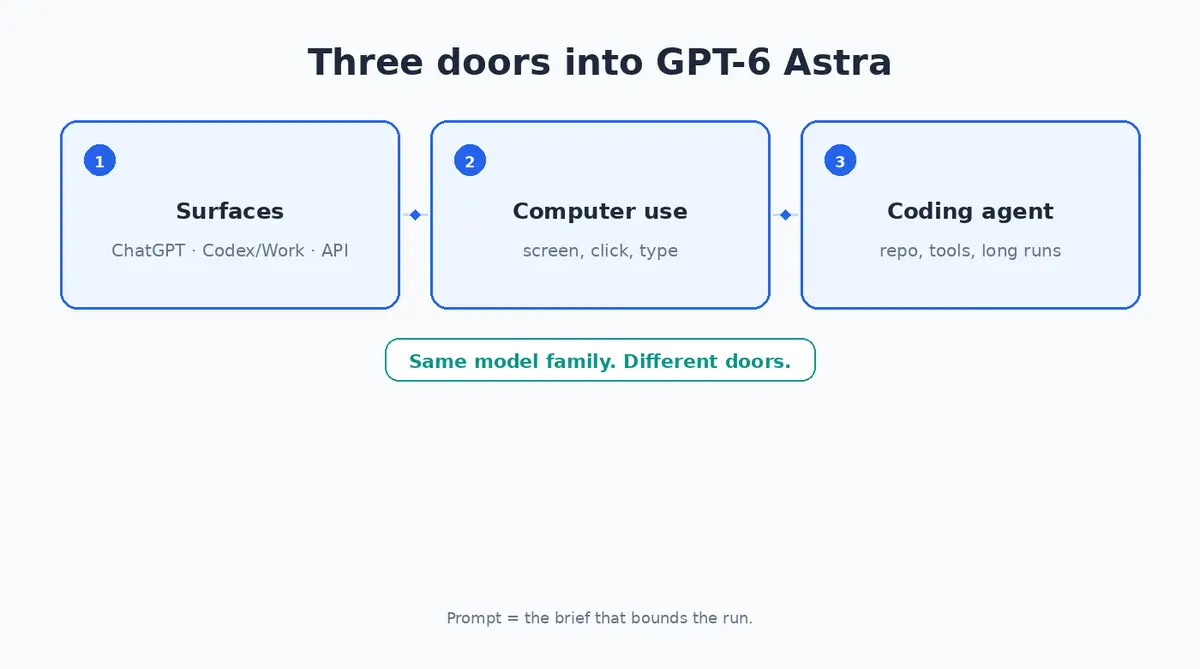
Same model. Different doors in. The brief is what bounds the run.
Setup: from nothing to a first run
1. Pick Astra on the surface you already use
Astra is available in ChatGPT and in Codex. Select GPT-6 Astra, then leave the reasoning effort in the middle of its range until a job gives you a reason to move it.
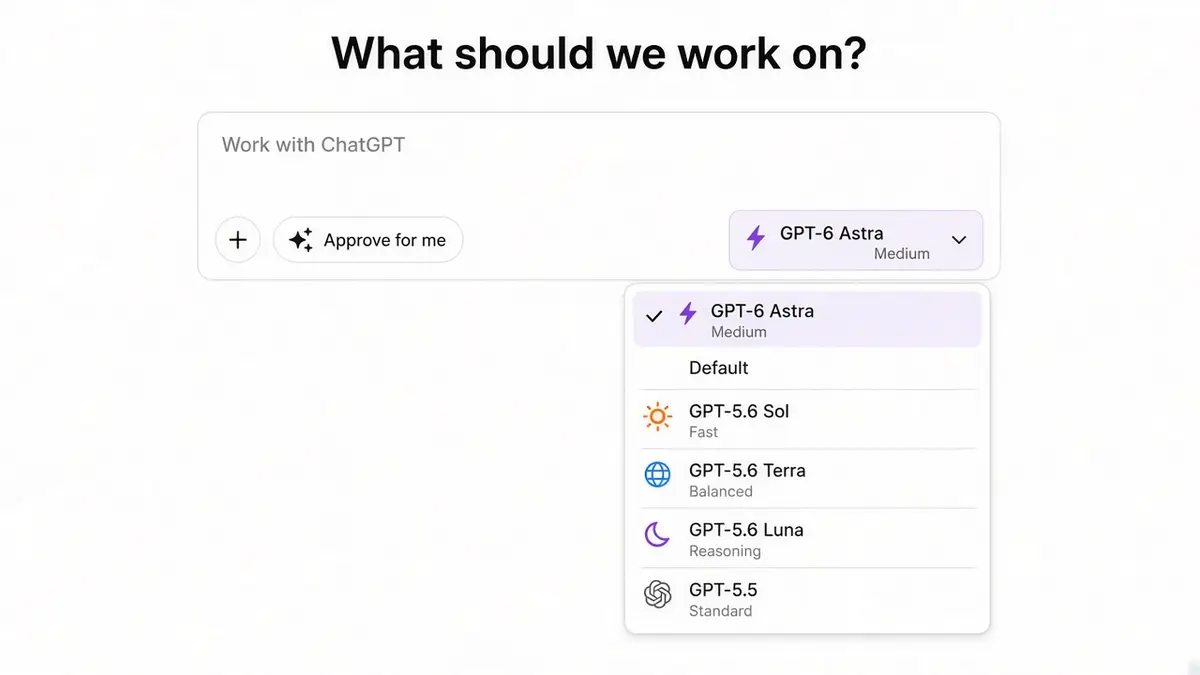
Pick the effort after you have written the finish line, not instead of writing one.
2. Pick the right door
| Surface |
Use it when |
What the brief needs most |
| ChatGPT with computer use |
The job lives behind a website or program with no other way in |
Stop rules, look but do not touch, a list of what it did |
| Codex |
Work inside a project you already run an agent on |
A finish line, the project context, standing preferences |
| API |
You are building Astra into your own product |
Pricing and limits from the developer docs, which this post does not cover |
New to computer use? Start in ChatGPT on a job that only reads and collects. Already living in a project? Start in Codex with 1 task that has a clear finish, not "clean up the app".
3. Set the reasoning effort to the job
Reasoning effort is how hard the model thinks before it acts. On average, a loose run at high effort empties the short session window while a tighter run at a lower setting does the same work. The order that keeps that from happening:
- Write the finish line.
- Run it at a middle setting.
- Raise the effort only if the record of the run shows it stopped short of a finish line you had actually defined.
4. Bound the access on run 1
- Use a login that can look, but cannot spend, delete, or message customers.
- Keep it away from banking, billing, and anything with admin rights on a live system.
- Decide what "stop" means before you send, and write it down in the brief.
You are ready when you can paste a brief, name the stop rule, and watch the first 2 minutes without wandering off to another tab.
The 6 blocks of a working brief
An Astra prompt is a brief. You are not asking for a vibe, you are hiring a run that has a start, a stop, and a record you can check afterwards.
The spine is the same one you would use to brief a contractor:
- Goal: 1 sentence on the outcome you want.
- Context: Only the facts it cannot see for itself. The address, the account, the folder, which tab holds the real data.
- Limits: What it must not do. No sending, no deleting, stay in this folder.
- Done means: The finish line written so you can check it. A file exists. A list has 5 rows. A test passes.
- Stop rules: When to freeze and come back to you. Login walls, payment screens, anything it cannot undo.
- Proof: How it shows its work. A numbered list of every action, the files it touched, what changed.
Computer use needs blocks 5 and 6 more than coding does, because the trail is clicks on a live screen rather than a record of file changes. Coding runs need block 4 most, since "improve the app" gives a model nothing to finish against.
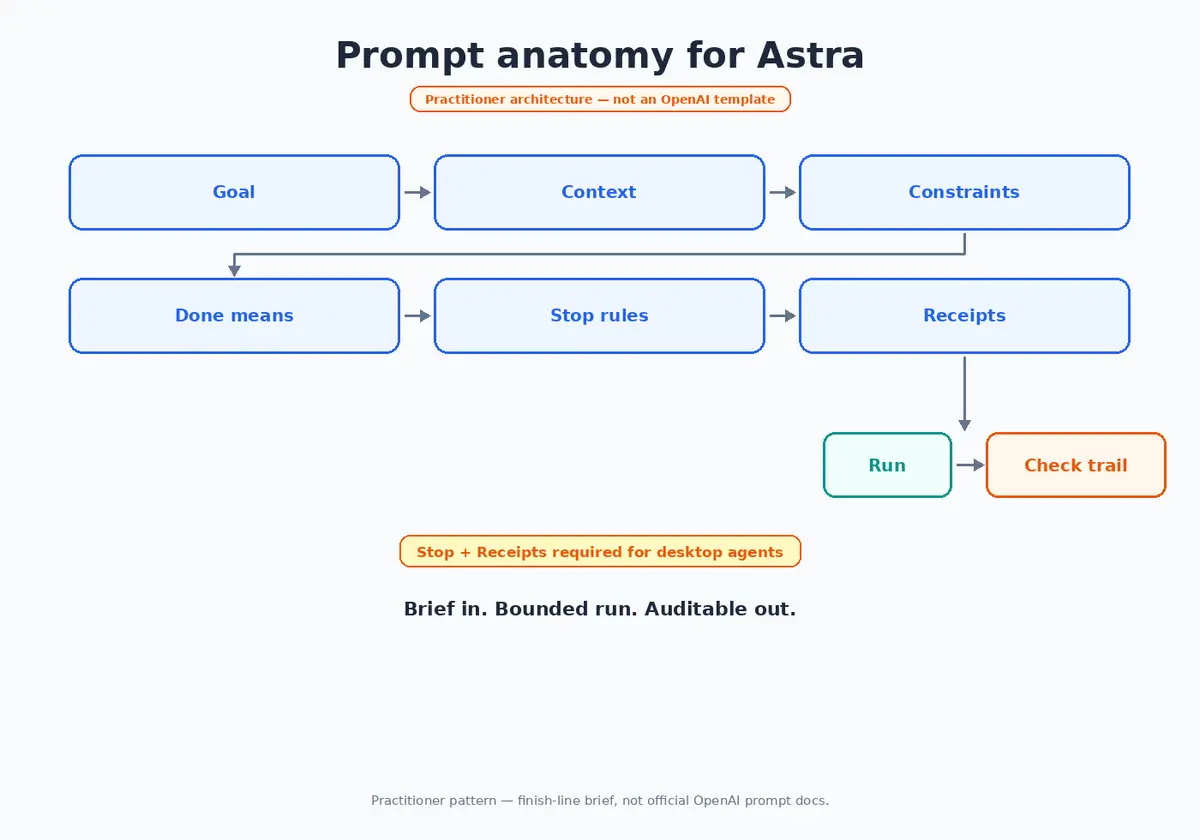
Why this shape holds
- Goal stops it inventing a second job halfway through.
- Context stops it guessing which dashboard is the live one.
- Limits cost you 1 line and save you an undo you may not get.
- Done means is the only honest test of whether it worked.
- Stop rules turn stuck into a question instead of 20 minutes of thrashing.
- Proof lets you review the run without sitting through it.
1 line to keep: scope the job before you hit Start.
5 behaviours worth prompting for
OpenAI publishes prompting guidance for this model, and it names 5 behaviours you are expected to steer. Most of what makes a brief work is anticipating these.
It asks more than earlier models did. Astra stops and checks when your instructions leave room for interpretation, which is useful right up until it stops on something you thought was obvious. If you want it to carry on, say so. OpenAI's own suggested wording is worth pasting in as it stands:
Infer the user's intent and task scope from the instructions and prior context. Bias towards action and carry the intended task to completion. Treat "can you", "I want to" and "help me" as instructions to do the work, not as questions about whether you can. Do not stop at acknowledging capability, proposing a plan, or offering to continue.
There is a second half to that, and it is the more interesting one. Rather than telling it never to ask, tell it when to ask: do the work that is already authorized first, so that what you are approving is a finished, reviewable result rather than a proposal.
It reads your instruction files closely. Astra follows longer instructions than earlier models, and it is more sensitive to whatever sits in AGENTS.md and any skill files it can reach. A stale line in a file you forgot about can quietly stop a run. OpenAI recommends auditing those files, and settling the order of precedence in writing:
The user's instructions take precedence over guidelines provided in a skill. If explicit user instructions conflict with a skill's instructions, prioritize the user's instructions.

If a skill causes you to pause, ask for confirmation, or leave requested work unfinished, name the exact file you read, quote the instruction, and explain how it applies.
That second line is the one I would not have thought to write. It turns a run that mysteriously stalled into a run that tells you which file stalled it.
It writes in lists and tables by default. Left alone it reaches for structure, and for a set of stock phrases it repeats across sessions. If you want prose, ask for prose, and say how long. OpenAI even publishes a list of the specific words and constructions it overuses, so you can name them and have it stop.
It delegates less than you might want. Astra can split work across parallel subagents, but it will not reach for that on its own as often as a job needs. If your setup supports it, say when to parallelise: whenever independent work could be done at the same time, hand it out rather than working through it in order.
It over tests small changes. On coding work it checks more thoroughly than a small change deserves. Tell it what level of checking the change actually warrants and it will stop rerunning a whole suite for a 1 line fix.
Two more things sit alongside those. You can correct Astra while it is still working, rather than stopping it and starting again, so the brief is your best chance to be understood but no longer your only one. And you can change how hard it thinks partway through a conversation, which means a session can open cheap and step up for the 1 hard question in it.
What works in practice
A finish line beats "make it better"
Weak: "Make the landing page better."
Working: "Rewrite the hero and 3 feature bullets for a first time reader. Keep the existing voice. Save it as a draft at /docs/landing-copy.md. Stop if that folder does not exist."
The second one can be finished. The first one can only be abandoned.
Effort is not a substitute for scope
Raise the effort for a job you have already scoped tightly, not for one you are hoping it will figure out. Most of what makes an expensive run expensive is not the setting. It is that the brief underneath it never had a finish line, so nothing ever told the model it was done.
Know which model you are actually rationing
Astra does not carry a usage limit of its own. It draws on the allowance you already pay for, and in practice that leaves a lot of room. Worth knowing, because the instinct with a new frontier model is to treat every run as precious and save it for something special.
On OpenAI's own evaluations there is a second reason the room lasts: Astra reaches better results while producing substantially fewer output tokens, so a job costs less to run than it did on earlier models even though the price per token went up. That is stated as a cost per task, which is a bill you only ever see on the API. On a plan it shows up as the same piece of work taking a smaller bite out of the window.
The model I ration is the one that does have its own cap. Fable 5.1 carries a separate limit, smaller than the weekly one, and even on a Max plan it runs out quickly. So that is what I save for the work that genuinely needs thinking, and Astra is what I reach for on the desktop jobs and the long multi step runs.
On the quality of the answers I find the 2 roughly on par. I still reach for Fable first, and that is not about the answers. It is the tools built around it, and how well it already fits the way I work. Which is the more useful thing to say out loud: on most days the question is not which model is smarter. It is which one sits properly in your setup, and which allowance still has room in it.
Standing preferences belong in a file
If you find yourself typing "ask before anything irreversible" or "keep the effort where it is" into every new chat, move it into AGENTS.md or whatever standing preferences file your agent loads. A reminder in one chat lasts one chat. A file gets read every run.
When it ignores your wording, make it a check
If the agent keeps stepping over a rule you wrote in a sentence, promote that rule into something mechanical: a test, a lint rule, a list of folders it is allowed to touch. Prose is a preference. A check is a limit.
1 job per run
1 goal, 1 finish line, 1 record. Stacking "and also tidy the project, and also write up the bugs" is how a 5 minute run turns into a 40 minute mess.
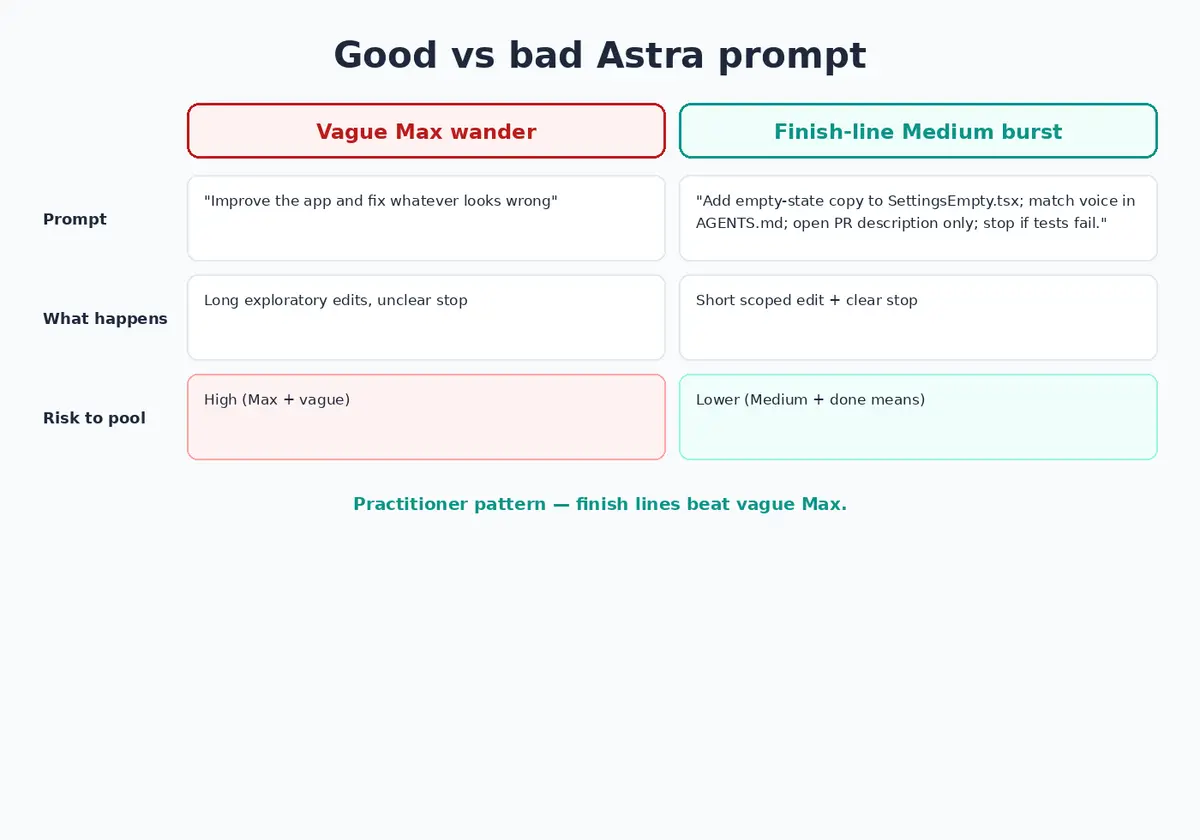
Examples you can copy
Swap the paths and product names. Keep the stop rules.
Example A: a look but do not touch run
Goal: Collect the 5 newest open invoices from the billing screen into a markdown list.

Context: Use the browser tab already open and labelled Billing, Sandbox. Do not open any other account.

Limits:
- Read only. Do not click Pay, Send, Delete, Export or Message.
- Do not change any filter except Status = Open, if you need to.
- Stay in this tab.

Done means: A markdown list with the date, invoice id, amount and status for exactly 5 rows, or fewer if fewer exist. Save it to ~/Desktop/invoice-collect.md.

Stop rules: Stop and ask if a login screen, a captcha, a payment wall or an unexpected popup appears. Stop if the table is empty and you are not sure which filter is right.

Proof: A numbered list of every click and everything you typed. Confirm the file path at the end.
Example B: a coding job with a real finish line
Goal: Add an empty state to the Settings page for when the user has no connected accounts.

Context: The project root is the current workspace. Follow the patterns in src/components/EmptyState.tsx and the voice in AGENTS.md.

Limits:
- Touch only src/pages/Settings*.tsx and new files under src/components/settings/.
- Do not refactor anything unrelated.
- Keep the reasoning effort where it is unless you tell me why it needs to be higher.

Done means:
1. The component renders the copy and a button wired to the existing connect flow.
2. A test is added and passes.
3. A short summary of the change is written in the chat. Do not open a pull request unless I say so.

Stop rules: Stop and ask if the tests fail twice on the same error, or if the connect flow is unclear.

Proof: The list of files changed, the test command, and whether it passed.
Example C: a standing preferences file
## Agent standing preferences
- Do not raise the reasoning effort without telling me why.
- 1 job per run. Every run needs a finish line and a stop rule.
- Ask before anything irreversible: sending, deleting, paying, overwriting history.
- End every run with a numbered list of actions and files touched.
- On computer use, read only unless the brief says otherwise.
Example D: briefs I have written that went badly
"Go fix production and make it good. Turn the thinking all the way up. You have full access."
"Click around until the dashboard looks right. Do not bother me."
"Also rewrite the brand and migrate the database while you are in there."
Each of those has the same hole in it. There is nothing in the sentence that tells the model when it is finished, so it keeps going until the window runs out.
One more: if a brief needs a password or a key pasted into it, the brief is not the problem. Use a sandbox login or a token you already rotate.
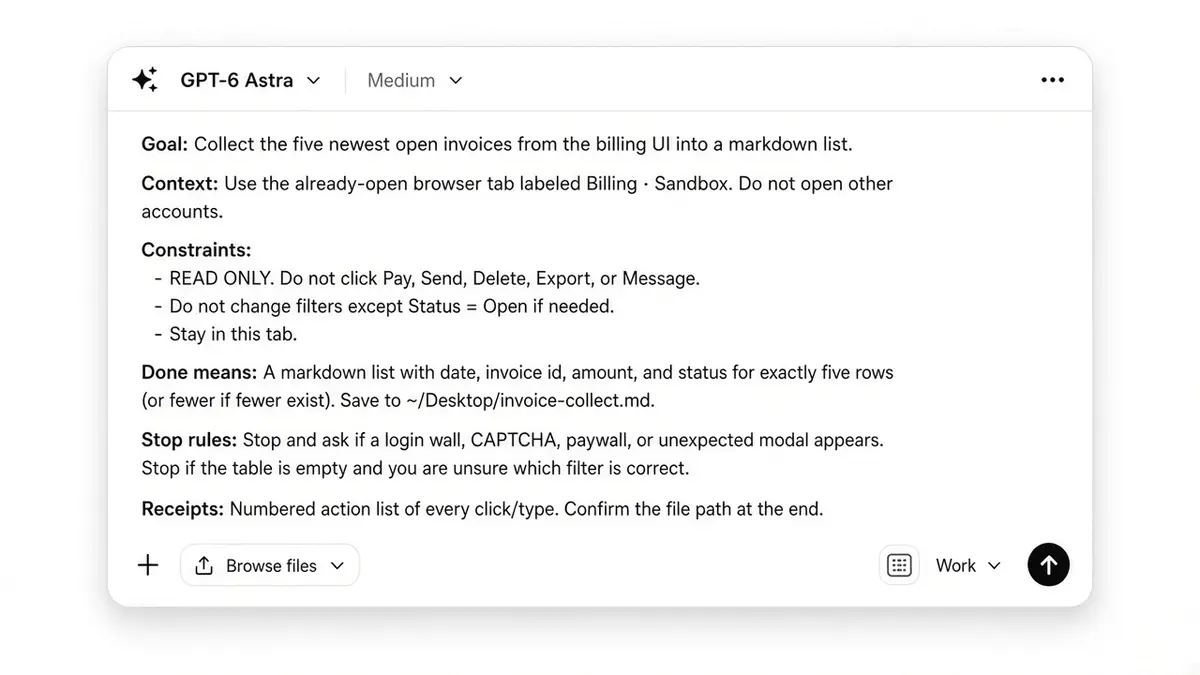
Every block in the brief exists so the run knows when it is finished.
Watching the run
You cannot tune what you are not watching.
Watch the 5 hour window, not just the weekly one
On average, a focused run takes about half of the short 5 hour window in a couple of minutes of heavy agent work, and a run left to wander can empty that same window in about 40 minutes. The weekly bar barely moves in either case, so the cost of a loose brief shows up in the short window first.
The habit is small: glance at the 5 hour meter after every Astra run. If it dropped hard and the record of the run is thin, that is a brief that was too vague or an effort level that was too high.
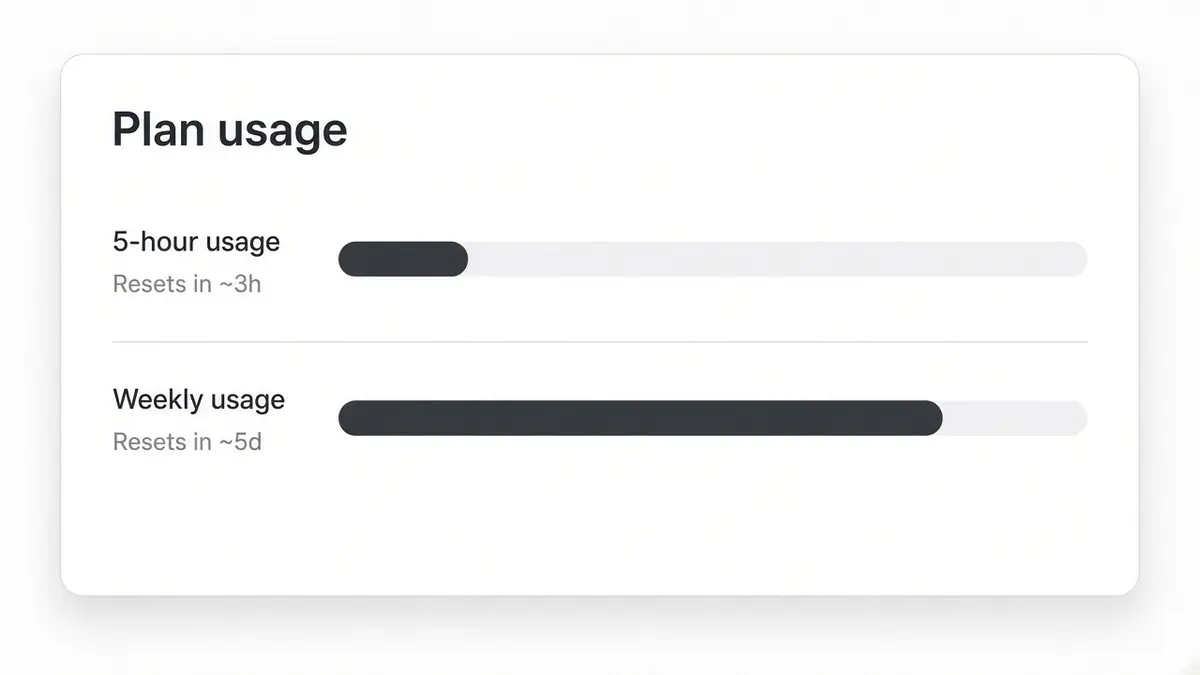
The weekly bar can look untouched while the 5 hour window is already spent.
Ask for the list of actions every time
Put it in the brief every run. If the agent cannot tell you what it did, you have no way to decide whether to tighten the job or raise the effort.
Reading the signals
| What you see |
What it usually is |
What to change |
| The 5 hour window drops fast, and the record is thin |
A vague goal, or effort raised to cover for one |
Rewrite the finish line before touching the effort |
| It loops on the same screen |
No stop rule for that screen |
Add "stop and ask if this popup appears" |
| Your standing preferences get ignored |
They only exist in the chat |
Move them into the standing file, or into a check |
| Good work, but it ate an allowance you needed |
Right job, wrong allowance for that day |
Check which of your models carries its own cap, and spend the uncapped one first |
| It stops too early |
The finish line is fuzzy |
Make it checkable: a file path, a number of rows, a passing test |
Before you hit Start
What to do next
Run 1 job today that only reads and collects. Then run 1 coding job with a hard finish line. Compare what came back. Keep the brief that finished, and rewrite the one that wandered.
Worth reading next: better AI prompts covers the same loop for everyday chat work, and Opus 5 prompting covers trimming instructions on the Claude side.
Frequently Asked Questions
What is the best way to prompt GPT-6 Astra?
Write it as a brief rather than a request. Name the goal in 1 sentence, give it only the facts it cannot see for itself, say what it must not touch, and describe the finish line in a way you can check afterwards. Then say when it should stop and come back to you. A prompt that cannot be finished is the single most expensive thing you can send.
What reasoning effort should I use?
Start in the middle of the range and change it only for a reason you can name. Reasoning effort controls how hard the model thinks before it acts, and raising it will not make up for a request that never said what finished looks like. If a run stops short of a finish line you actually defined, that is the moment to raise it.
Why did 1 run use so much of my limit?
Usually because the run had nothing to finish against, so it kept working until something stopped it. Check the 5 hour window rather than the weekly one, since a loose brief shows up there first. If the window dropped hard and the list of actions that came back is short, the brief is what to fix.
Do I have to write the whole brief every time?
No. The parts that never change, like asking before anything irreversible, or how much testing a small change deserves, belong in a standing preferences file such as AGENTS.md, which the agent loads on every run. What you type each time is the goal, the finish line and the stop rule for that particular job.
Is it safe to point at a live account?
Give it a login that can look but cannot spend, delete or message customers, and keep the first few runs on jobs where a wrong click costs nothing. Ask for a numbered list of everything it did, then read the list. The risk is not that it breaks, it is that it does the wrong thing confidently and nobody checks.
