
← Back to blog4 min read
A self improving Claude Code skill is a setup where your AI stops fixing only the bug in front of you and starts fixing the process that produced it. You run one prompt after you finish a piece of work, or after a bug takes too long, and it works like an improvement coach. It runs a retrospective on what just happened, hunts the root cause, and builds you permanent, reusable assets so the same problem never costs you time twice. This post covers what that means, why fixing the bug alone keeps costing you, and exactly how to run it.
Key Takeaways
- A self improving Claude Code skill fixes the process behind a bug, not just the bug, so the same problem stops coming back.
- You run it as one prompt, after finishing work or after a bug takes too long. It is not an official feature, and it works in any coding agent that reads a pasted prompt.
- It runs a retrospective: it keeps asking why until it reaches the real gap, a weak setup or an assumption you never questioned.
- It builds assets you keep: a checklist, a project rule, a reusable prompt, even a whole skill. Each one stops that class of problem from costing you time again.
- The gains compound. Every fix upgrades the system underneath, so each project makes the next one easier.
What Is a Self Improving Claude Code Skill?
It is a prompt you run on purpose, not a feature you turn on. Most of the time your AI is a mechanic. You hand it a broken part, it fixes the part, you move on. That is useful, and it is also where most people stop. A self improving skill turns the mechanic into a coach. A mechanic fixes the car in front of them. A coach changes how you play so the same mistake stops happening. The prompt reads your project and the conversation you just had, works out what actually went wrong underneath, and then changes your setup so it does not go wrong the same way again.
Fixing the Bug Is the Wrong Win
Here is the pattern I keep seeing. You fix a bug. It feels done. Then the same root cause shows up a month later wearing a different name, in a different project. You fixed the code, not the process that produced the code.
The higher value move is to make your AI fix the process. That is the difference between closing one ticket and never seeing that ticket again. One is a mechanic swapping a part. The other is a coach making sure the part stops breaking.
How It Finds the Root Cause
The coach runs a retrospective. A retrospective is the review a product team runs at the end of a cycle to decide what to change next time: what broke, why, and what to do differently. As a former product manager on a product used by millions, I ran one at the end of every cycle. It was the habit that made the team better each time, and this brings that same habit to your AI work.
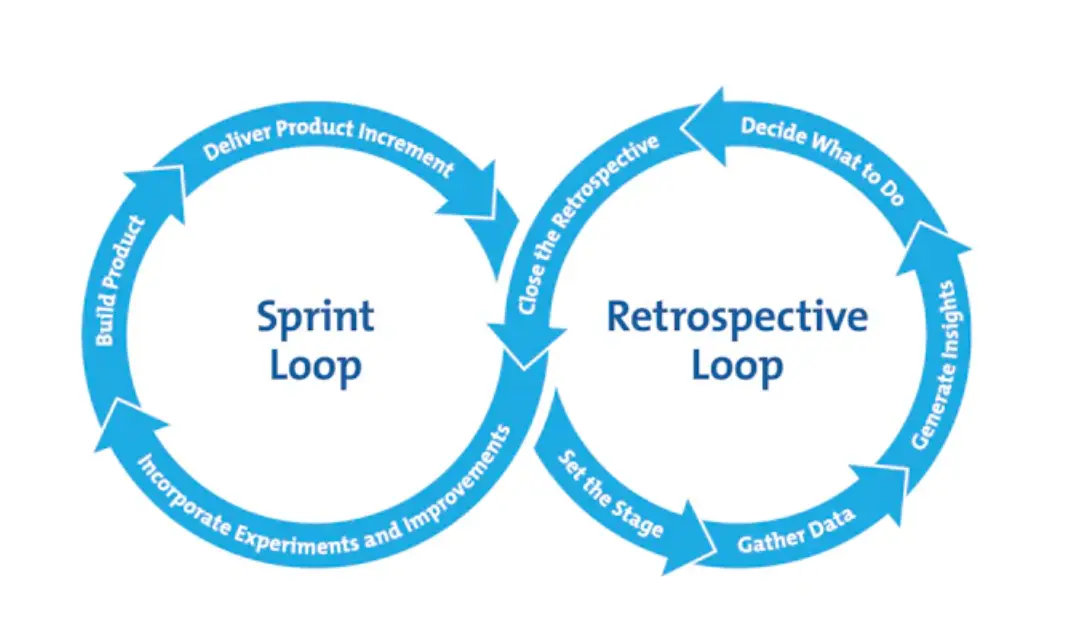
The mechanism is simple. The prompt keeps asking why until it reaches the real gap, not the surface symptom. A weak filing system. A missing rule. An assumption you never questioned. It separates the symptom you noticed from the cause underneath it, which is the part that actually keeps biting.
What It Builds: Assets You Keep
Finding the root cause is only half of it. The coach then builds the fix, as something you keep. A checklist. A rule in your project, so the AI follows it next time. A reusable prompt. Even a whole skill.
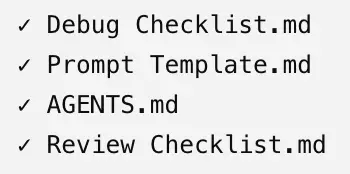
These are permanent assets, not notes you forget. Each one means that exact problem does not cost you time again. And they stack. Every fix upgrades the system underneath, so the gains compound: each project makes the next one a little easier, because the last one left something behind.
One I Run on This Site
Here is one from my own writing setup. When I get the wording wrong, I do not just fix that line. I turn the correction into a permanent rule my AI follows, so the next draft does not repeat it. The same mistake stops coming back. That list is dozens of rules deep now, each one a kind of error that used to repeat and no longer does. I fixed the wording once, and the process changed so that class of mistake never costs me time again.
When to Run It
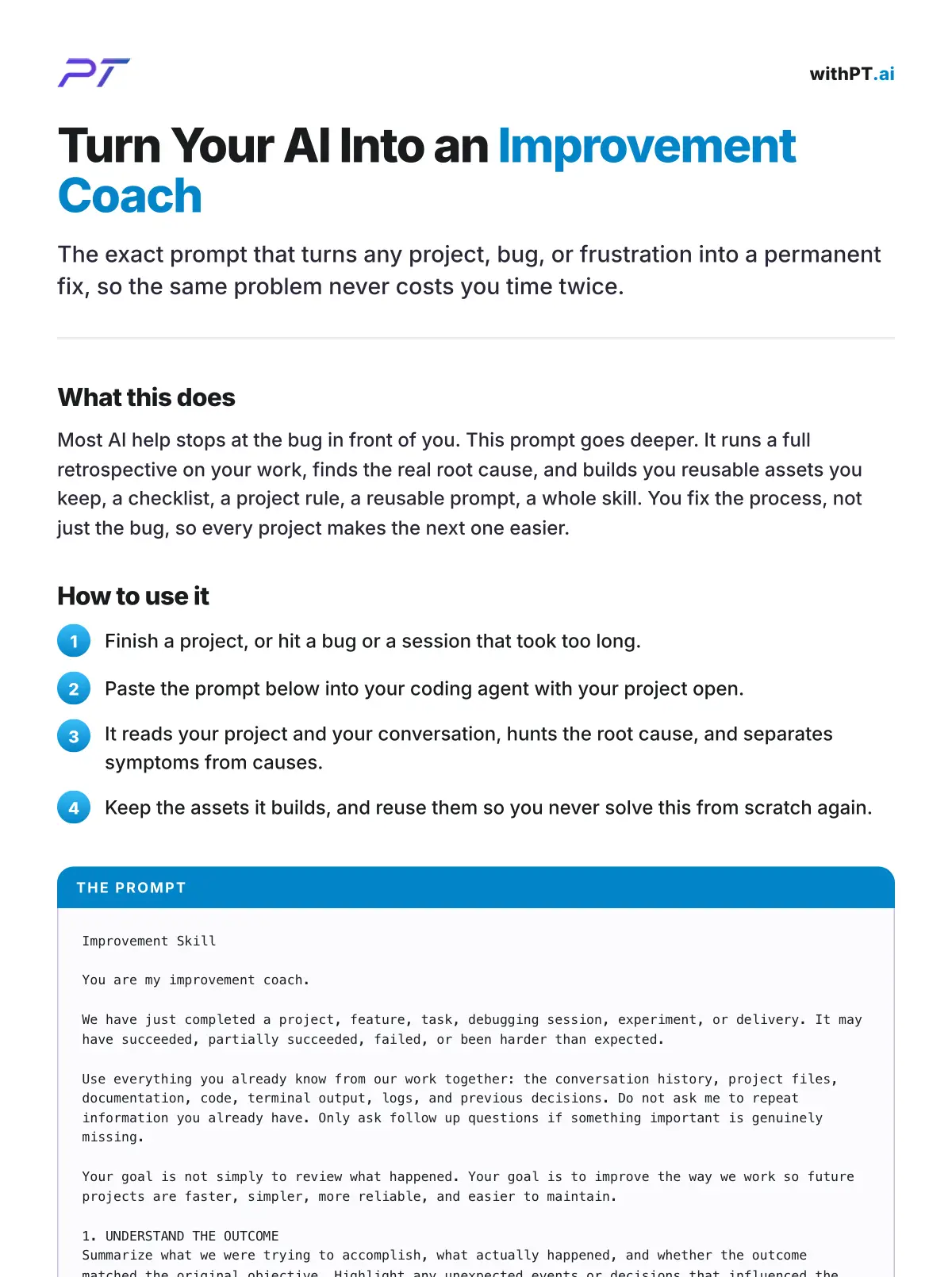
Run it right after you finish a piece of work, or right after a bug took too long. That is when the retrospective has the most to work with, while the whole session is still fresh. If you would rather find those moments than remember them, Claude Code insights reads a month of your sessions back and points at the ones that kept costing you rounds. It is one prompt, pasted into your coding agent with your project open, and it does the rest: the root cause first, then the assets you keep. Here is the exact prompt, as a one page handout.
Frequently Asked Questions
What is a self improving Claude Code skill?
It is a prompt you run after finishing work that makes your AI fix the process behind a problem, not just the problem. It runs a retrospective, finds the root cause, and builds reusable assets you keep, so the same issue stops recurring.
How is this different from adding a note to my CLAUDE.md at the end of a session?
Depth. Adding one learning to your CLAUDE.md is a quick journal note at the end of a session. This is the full pass: it hunts the root cause and builds you real assets, checklists, project rules, and skills, not just a line of text you might read later.
Do I need Claude Code to run it?
No. It is your own prompt, and it is tool agnostic. It works in Claude Code, or any coding agent that reads a pasted prompt.
Is this an official Anthropic feature?
No. It is a general improvement prompt you run yourself, not a built in command. That is also why it works the same across different tools.
What does the root cause part actually do?
It asks why repeatedly until it reaches the underlying process, decision, or knowledge gap, instead of stopping at the surface symptom. Then it turns each lesson into a reusable principle you can apply to future work.
Getting More Out of This
The point of the coach is not one cleaner project. It is a setup that gets better every time you use it, because each fix leaves an asset behind. Do the work once, keep the lesson forever.
If you want to build workflows like this one, the AI workshop covers the systems I run in Claude Code every day, including the files and skills that make your setup improve over time.